The Agent Skills manager that’s a joy to use

Manage all your Agent Skills in one place — install from any source, and stay in sync with upstream updates.

Works with Claude Code, Codex, Cursor, Gemini CLI and 70+ other agents

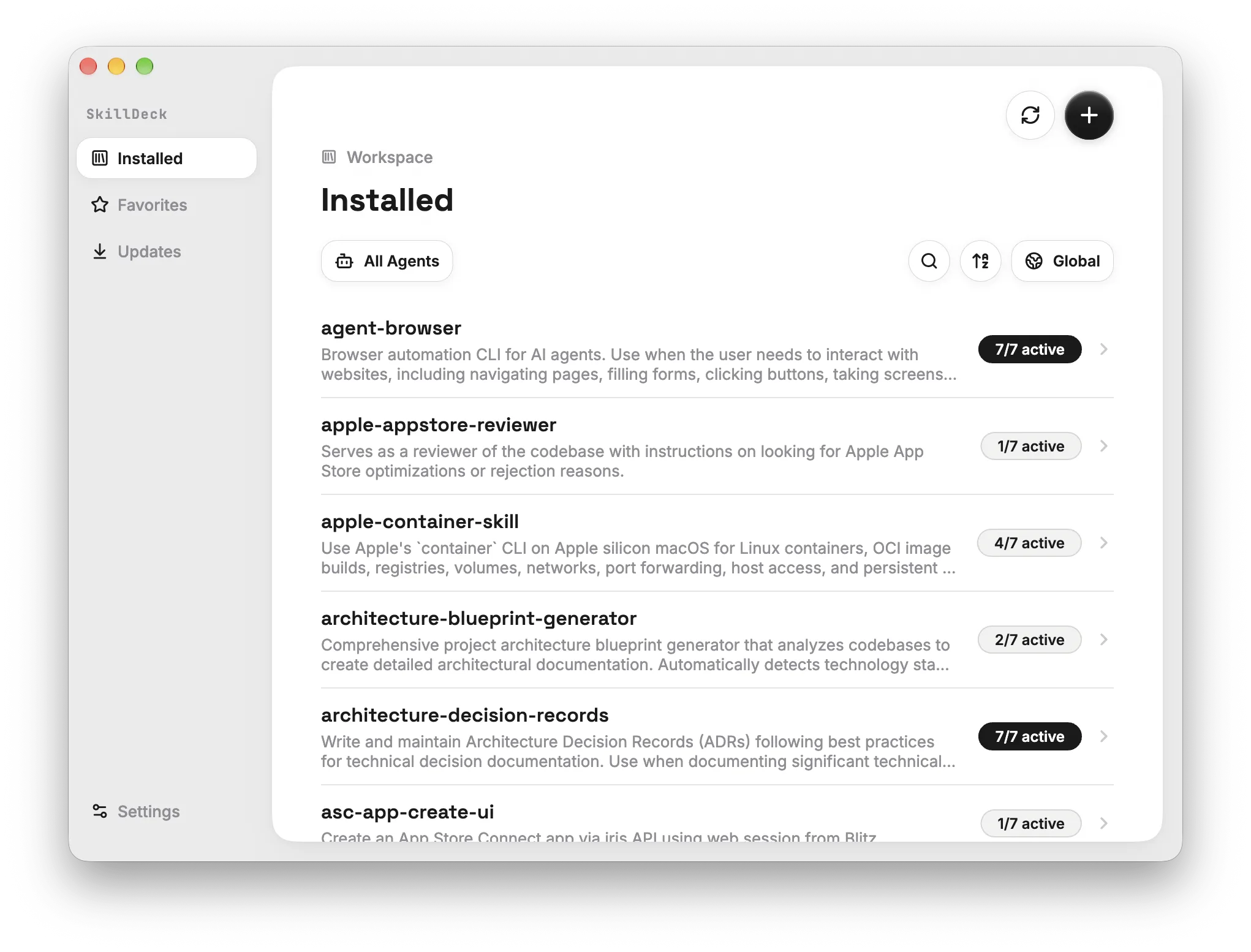
SkillDeck showing the list of installed Skills
The problem

Too many Skills to manage?

  • ~/.{claude,cursor,…}/skills/A separate folder for every agent, tracked from memory
  • <project>/.agents/skills/Another copy in each project — which one is current?
  • git pull → ?Upstream changes — redo every copy by hand

SkillDeck keeps them all in one place.

Sources

Every source, one place

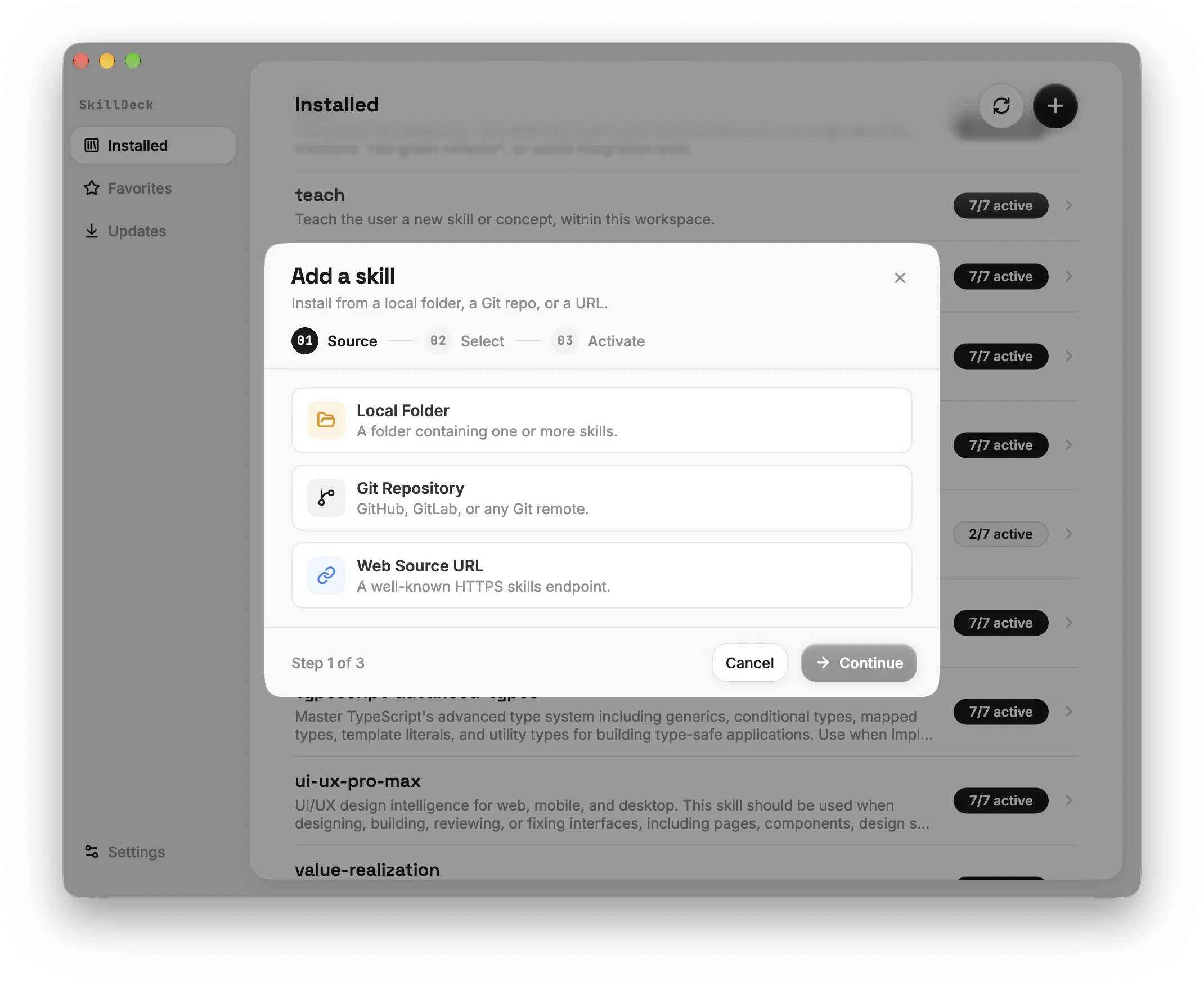
Paste a GitHub repository or pick a local folder. SkillDeck lists every Skill inside so you can choose the ones you want. The source stays on record, so updating later takes no digging.

  • GitHub repositories
  • Local folders
  • Pick several at once
SkillDeck adding Skills from a GitHub repository, listing every Skill it contains
Updates

Keep Skills up to date

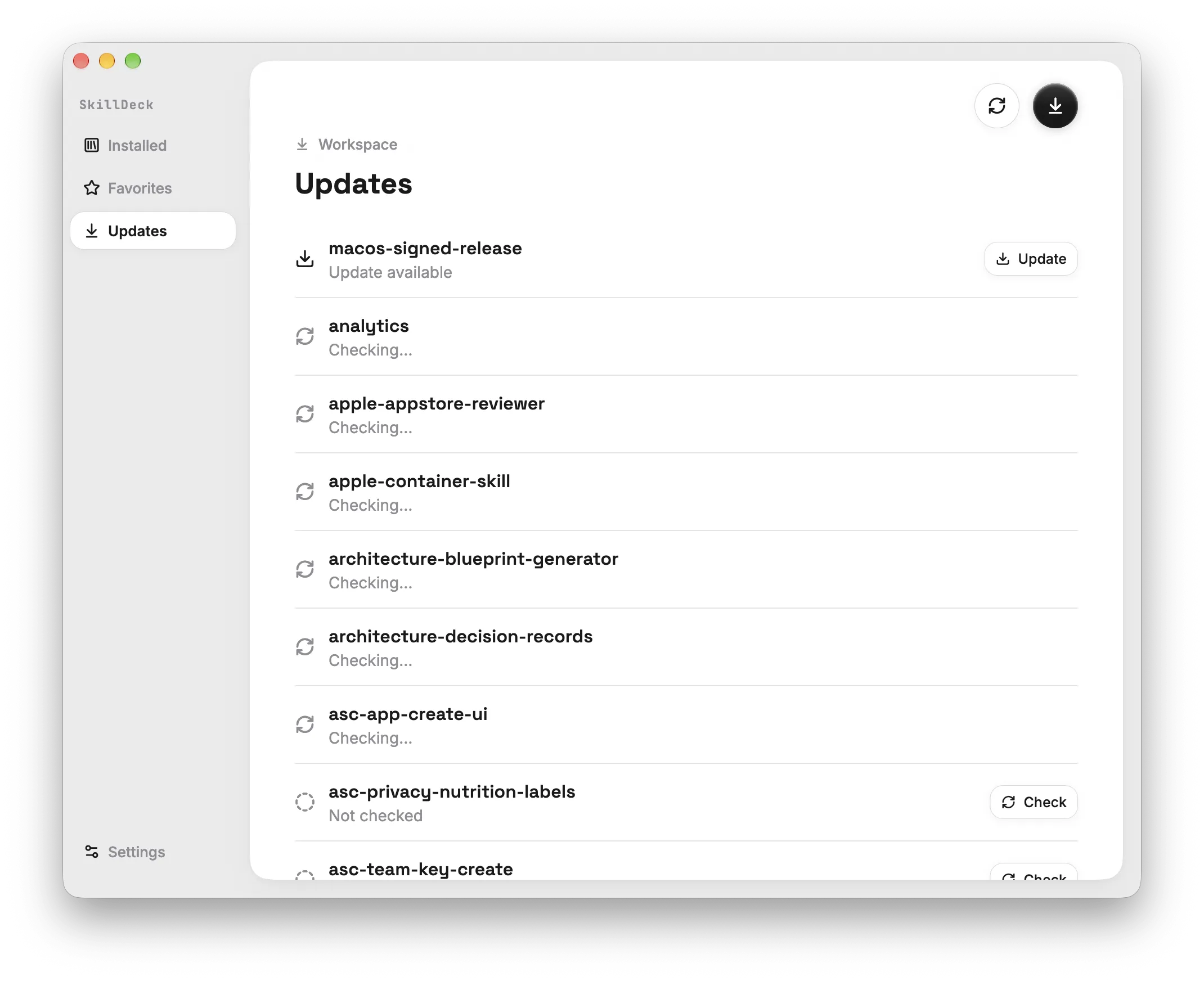
SkillDeck remembers where each Skill came from, so you can check upstream any time. Skills with something new are flagged under Updates — update one, or all of them in one click.

  • Check any time
  • New versions flagged
  • Update all in one click
SkillDeck Updates view flagging Skills with upstream changes and an Update all button
Translation

Read Skills in your language

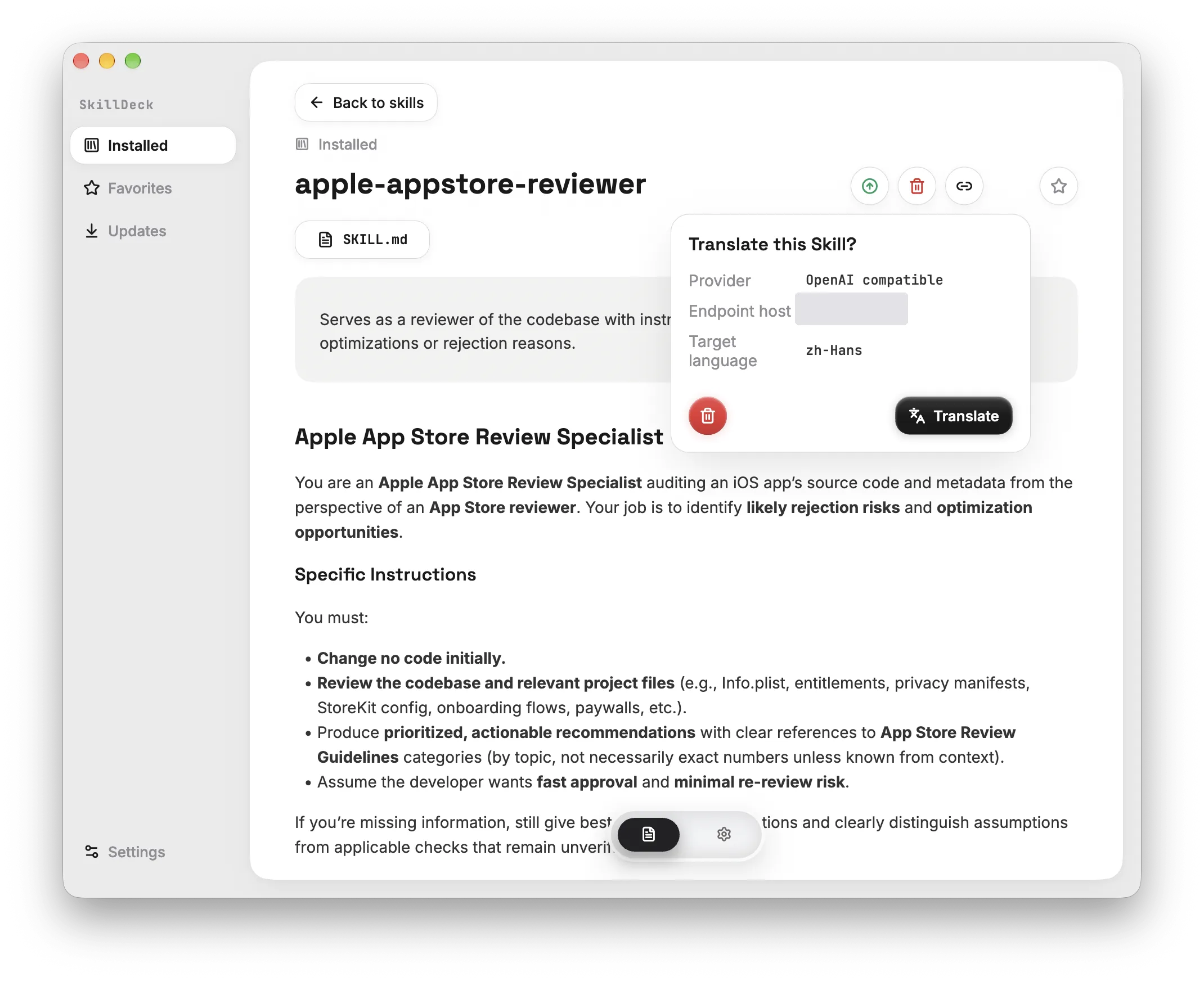
Translate a SKILL.md with one click and read it side by side. Translations are cached separately and never touch the file, so agents always read the original.

  • Translate on demand
  • Cached separately
  • Original untouched
SkillDeck showing a SKILL.md translated next to the original text
Activation

Control each agent on its own

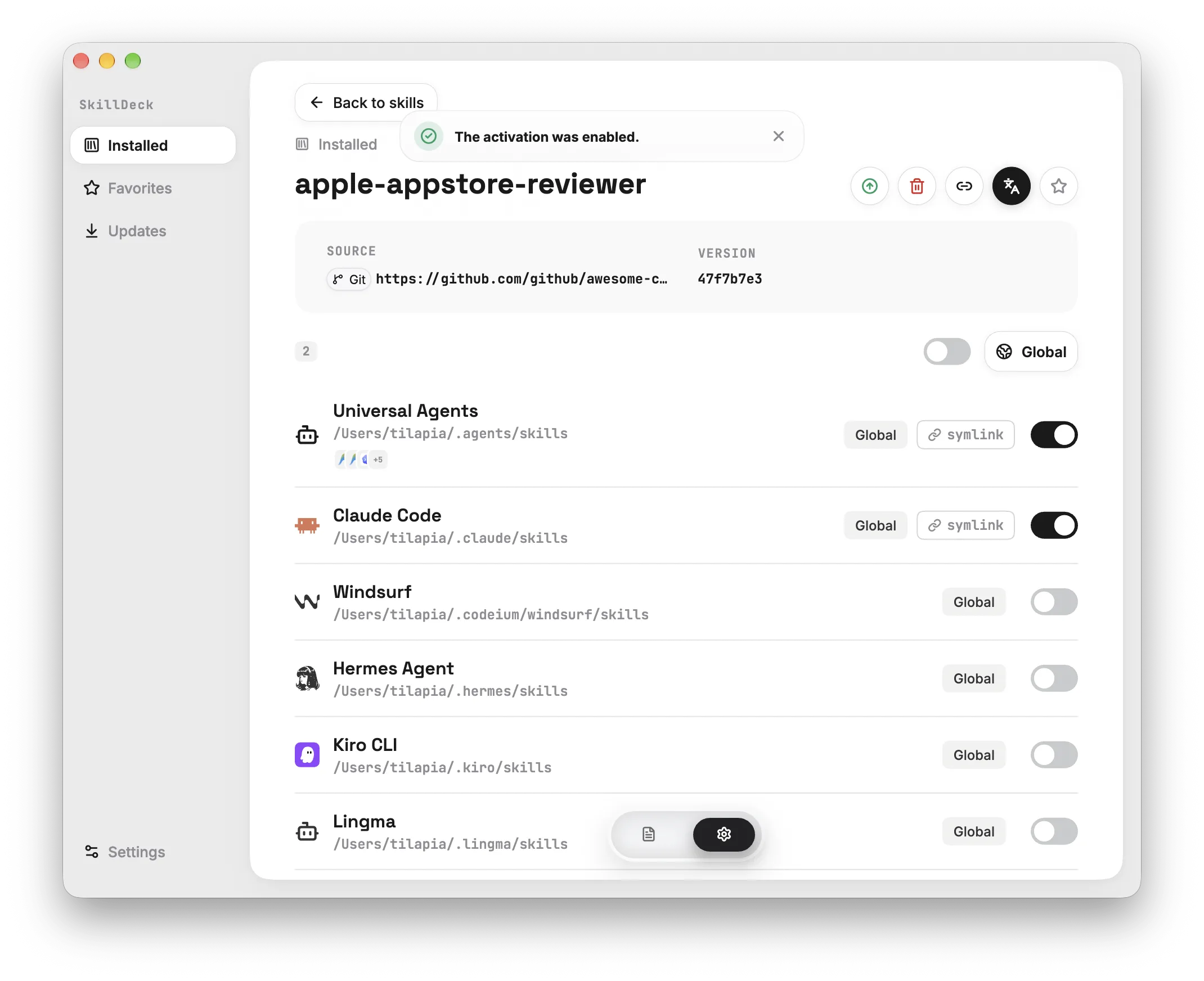
One Skill, switched on or off per agent. See at a glance whether it’s global or scoped to this project — files land as symlinks, so nothing gets duplicated.

  • Toggle per agent
  • Global or project scope
  • Symlinked, not duplicated
SkillDeck toggling a Skill per agent, with global and project scope
How it works

Install in three steps

  1. 01

    Add

    Bring Skills into the workspace from a GitHub repository or a local folder, source and all.

  2. 02

    Enable

    Tick the agents that should have it. SkillDeck puts the files where each one expects them.

  3. 03

    Update

    When upstream changes, open Updates and sync. Previous revisions stay available.

Download

Get it running

Choose your platform and install. SkillDeck finds the Skills you already have on first launch.

macOSAvailable now
Apple Silicon
Checking the latest release…
Intel Mac
Checking the latest release…
WindowsBeta
Download Windows Beta
Version
Checking the latest release…
Windows
Windows 10/11 · x64

By downloading SkillDeck you agree to the User Agreement and Privacy Policy.

FAQ

Good to know

What is an Agent Skill?

An Agent Skill is a folder containing a SKILL.md file: Markdown instructions for a specific kind of task, with frontmatter that declares its name and purpose, plus optional scripts and reference files. AI coding agents such as Claude Code and Codex discover Skills and load them when a task calls for one.

Does SkillDeck modify my Skill files?

No. Installing and enabling only move files around, and translations live in a separate cache. Agents always read the original SKILL.md.

Can one Skill serve several agents?

Yes. Install a Skill once, then enable or disable it per agent. The list shows how many agents currently have it.

Which agents does SkillDeck support?

SkillDeck ships with the folder conventions of more than 70 agents, including Claude Code, Codex, Cursor, Gemini CLI, GitHub Copilot, Windsurf, Cline, OpenCode and Trae. When you enable a Skill, it lands where each agent expects it, globally or for a single project.

Does it need the internet? Where is my data?

Only when adding a remote source or checking for updates. Skills stay on your own machine — no account, no sign-in.

Is SkillDeck free?

Yes, SkillDeck is currently free to download and use, with no account required. If paid features are ever introduced, pricing and terms will be announced before anything is charged.

Is there a Windows version?

Yes. The Windows x64 beta is available to download, but is not yet Windows code-signed.

Put your Skills in one place

It takes a few minutes, and your existing Skills show up on first launch.

macOS 12+ (Apple Silicon / Intel) · Windows 10/11 (x64 Beta)